CAREGO+
CAREGO+ is a guided career workflow I built so a student ends up with a report, not a chat transcript. They fill in a short self-discovery survey, record a LEGO reflection, optionally add a teacher or peer write-up, and the app turns all of that into a career development report they can export as a PDF. It started as a competition demo. It still runs as a demo when the Gemini key is missing.
Project Overview
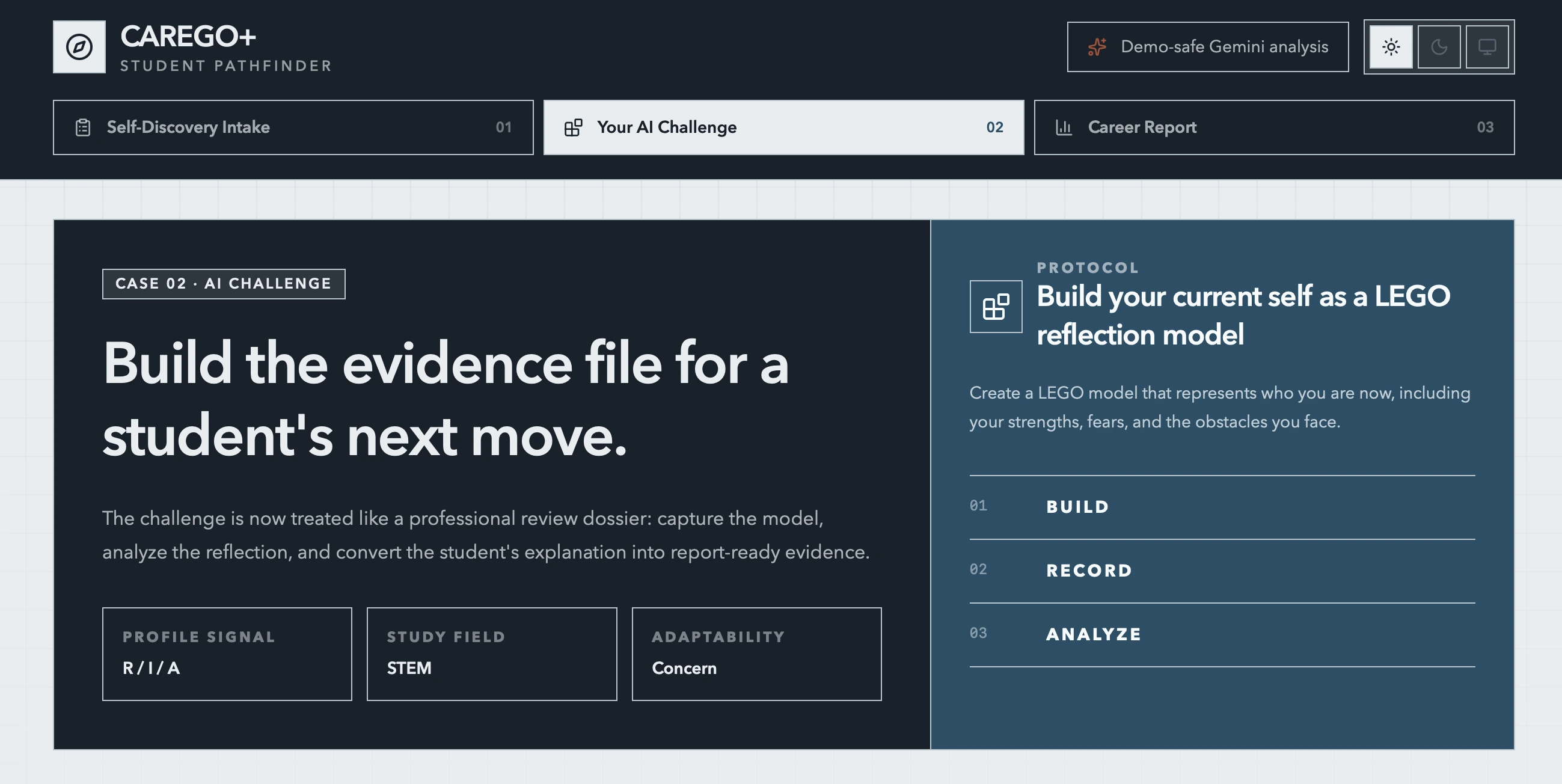
The app is a three-step dashboard. Intake scores vocational interests, career adaptability, and field of study. Challenge is where the student uploads a video of a LEGO model that represents who they are now. Report stays locked until those pieces exist, then Gemini writes a structured report: recommended clusters, strengths, risks, a learning environment, portfolio ideas, and a 30/60/90 day plan.
Progress lives in the browser. localStorage holds the answers, the analysis, the follow-ups, the observer reports, and the finished report. There is no account and no database. The Next.js API routes only exist for the work that has to leave the browser: sending a video to Gemini, generating the report, and pulling text out of an uploaded PDF or Word file.
Motivation
I wanted the report to be traceable. If the app recommends a pathway, that recommendation should come from a survey score, from something the student actually built and explained, and, when it exists, from what a teacher or peer wrote down. A score with a fixed paragraph at the end felt too thin for that. A free-form chat felt too easy to wander away from the evidence.
The LEGO step is borrowed from LEGO Serious Play. People explain themselves more clearly when they have an object to point at. The prompt asks the student to build their current self, including strengths, fears, and the obstacles around them, then record a short explanation. The survey goes into the same prompt as a short intake summary, so the video analysis knows which interests and which field of study it is talking about.
The other requirement was that a demo still has to finish. If the API key is missing, the video never finishes processing, or the model returns something unreadable, the route serves a written fallback and the UI says so. A demo analysis is labeled as a demo analysis.
Features
• Self-discovery intake
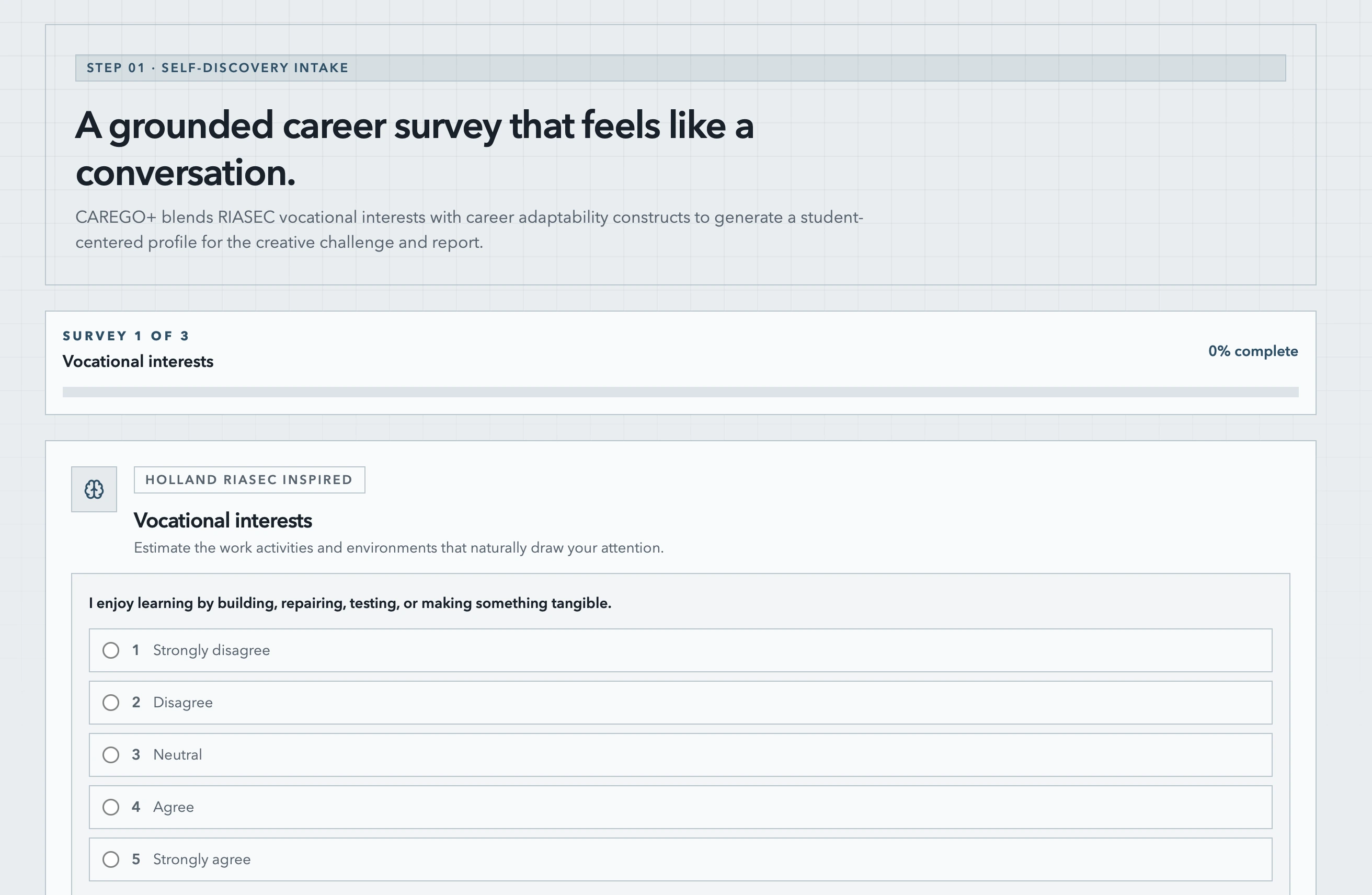
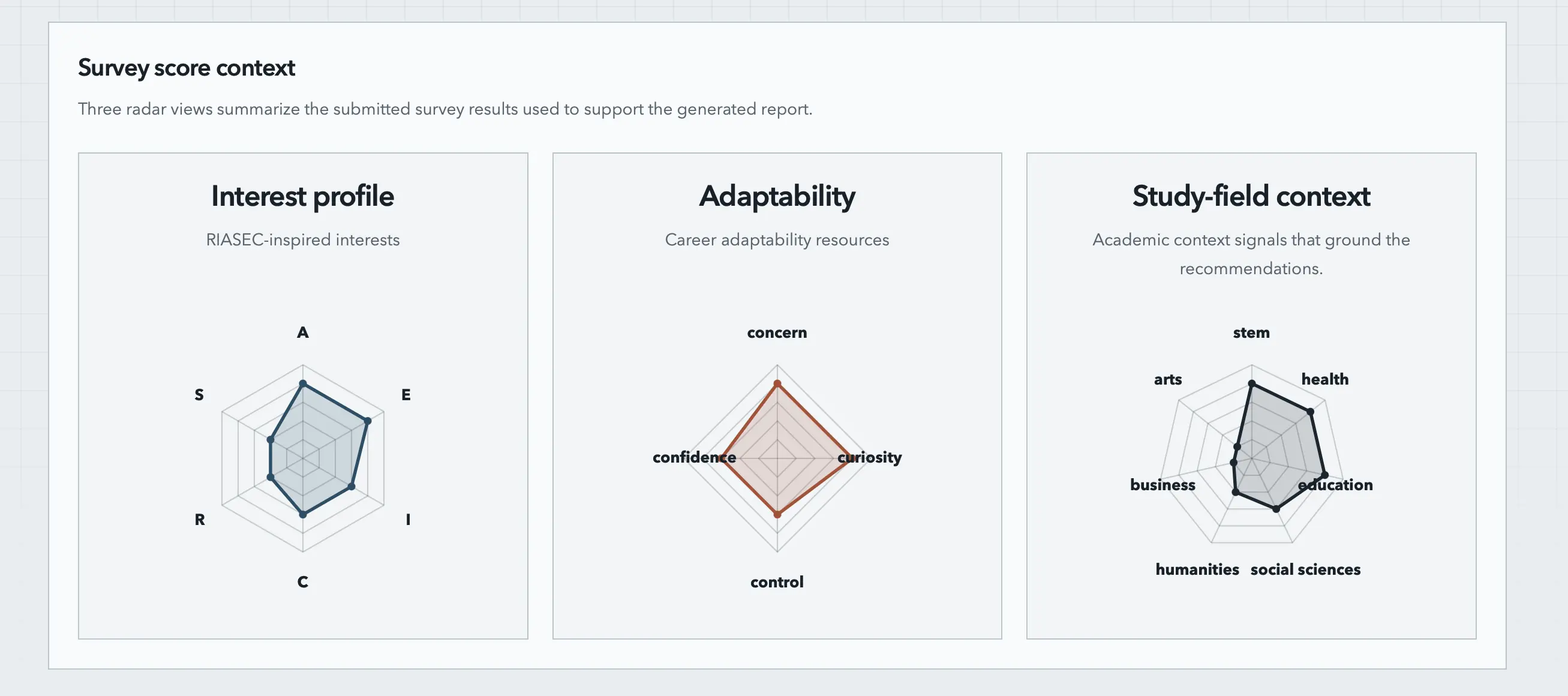
Three pages of Likert questions. Vocational interests follow a Holland RIASEC-inspired set: Realistic, Investigative, Artistic, Social, Enterprising, Conventional. Career adaptability uses the four resources from Career Construction Theory: concern, control, curiosity, and confidence. The last page asks which field of study matches the student's actual classes. Results stay hidden until every page is submitted.
• Scored profile
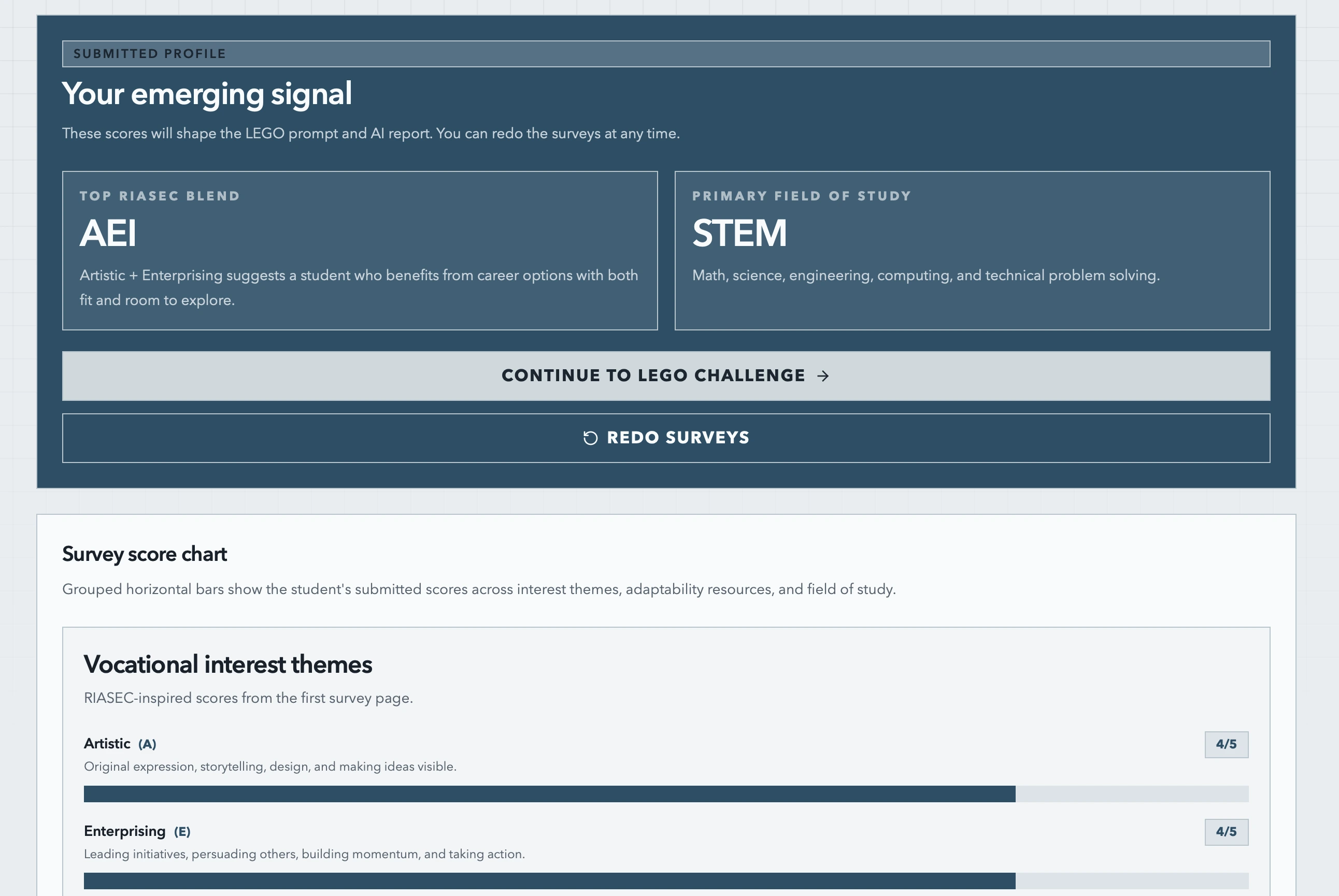
On submit, each coded answer is summed into a score. The page shows a top RIASEC blend, a primary field of study, and grouped bar charts for all three sections. Redoing the survey clears the challenge, the observer reports, and the generated report, because those were written for a profile that no longer exists.
• LEGO reflection challenge
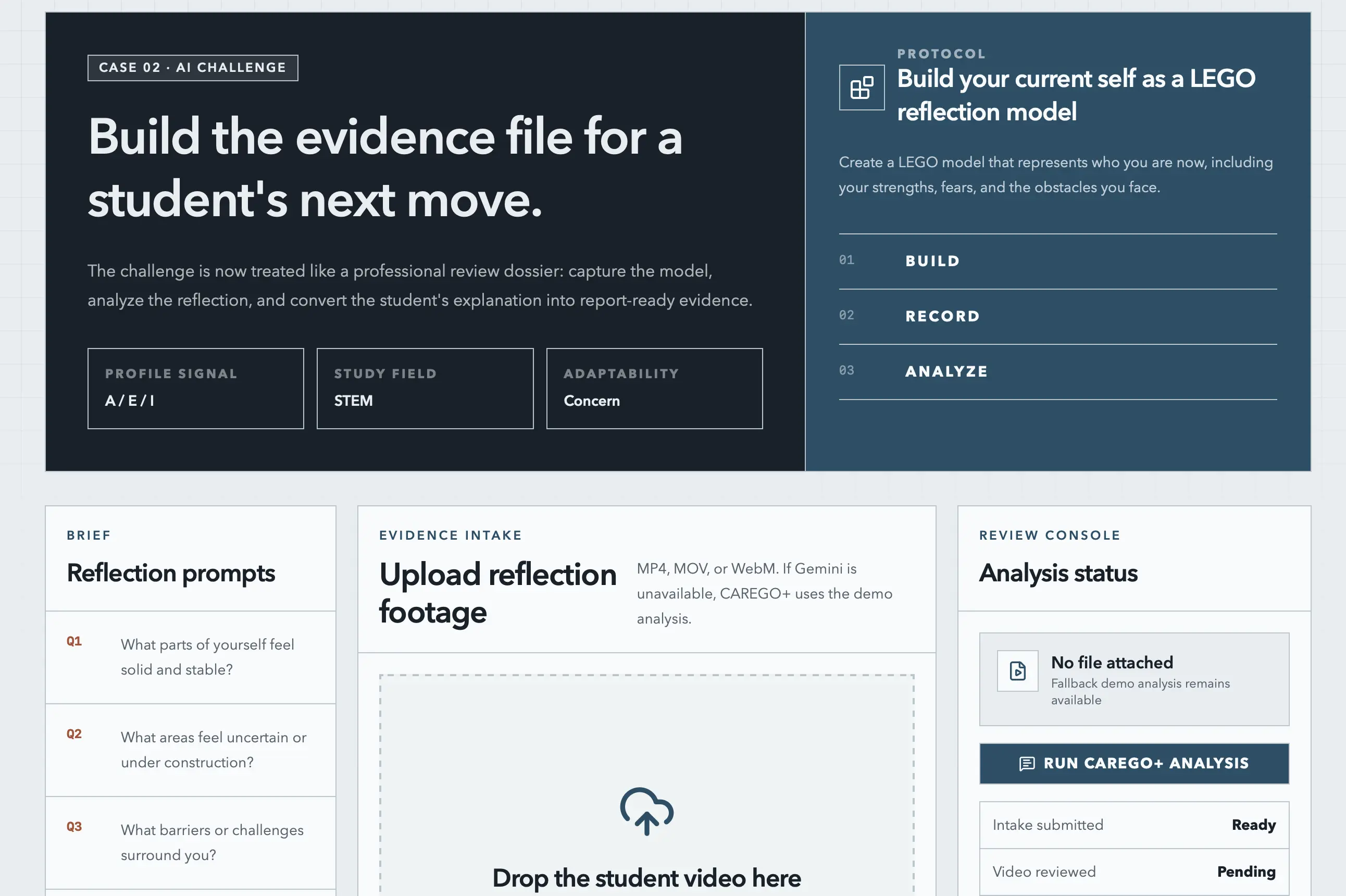
The challenge page shows the build prompt, four reflection questions, and a drag-and-drop upload for MP4, MOV, or WebM. A side panel tracks whether the intake is ready, whether the video has been reviewed, and whether the follow-up answers are filled in.
• Video analysis and follow-ups
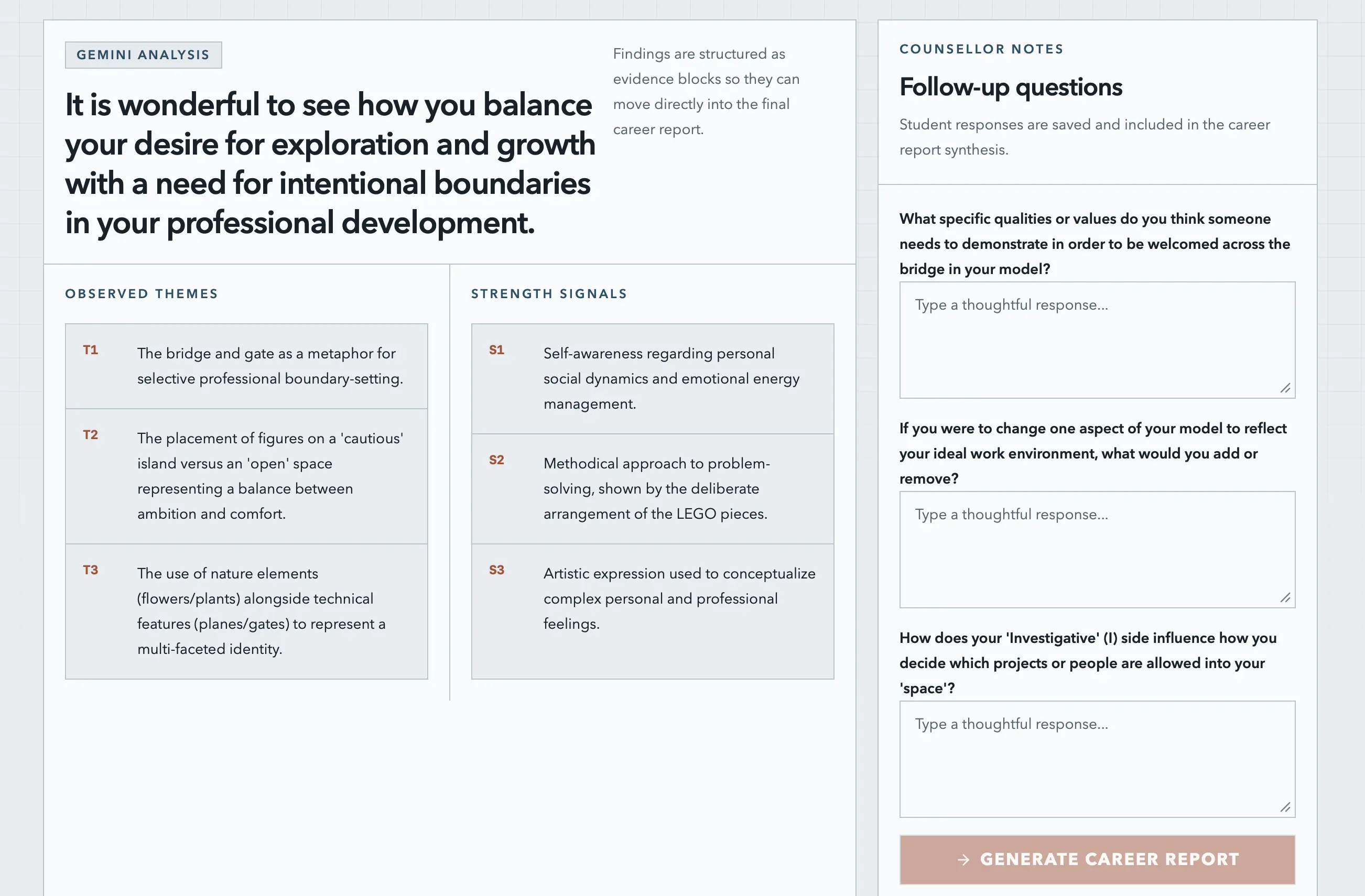
Gemini returns a headline, a description of the video, observed themes, strengths, barriers, career signals, and three follow-up questions about the model. The student answers those questions before the report button unlocks. Uploading a new video throws away the old analysis and the old report.
• Teacher and peer reports
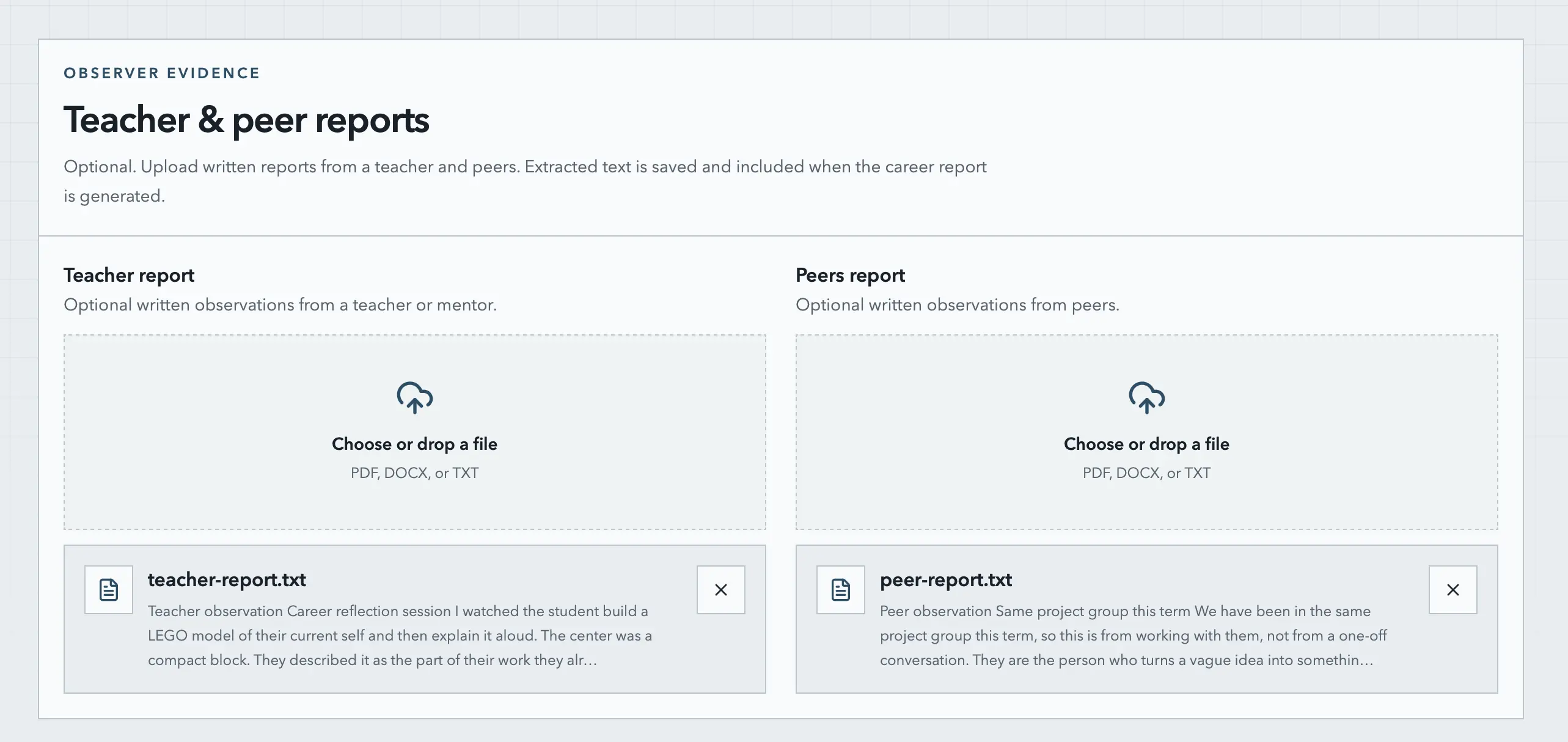
These are optional. A teacher or peer file can be PDF, DOCX, or plain text. The server extracts the text, the browser stores it, and that text is included the next time the career report is generated.
• Career report and PDF export
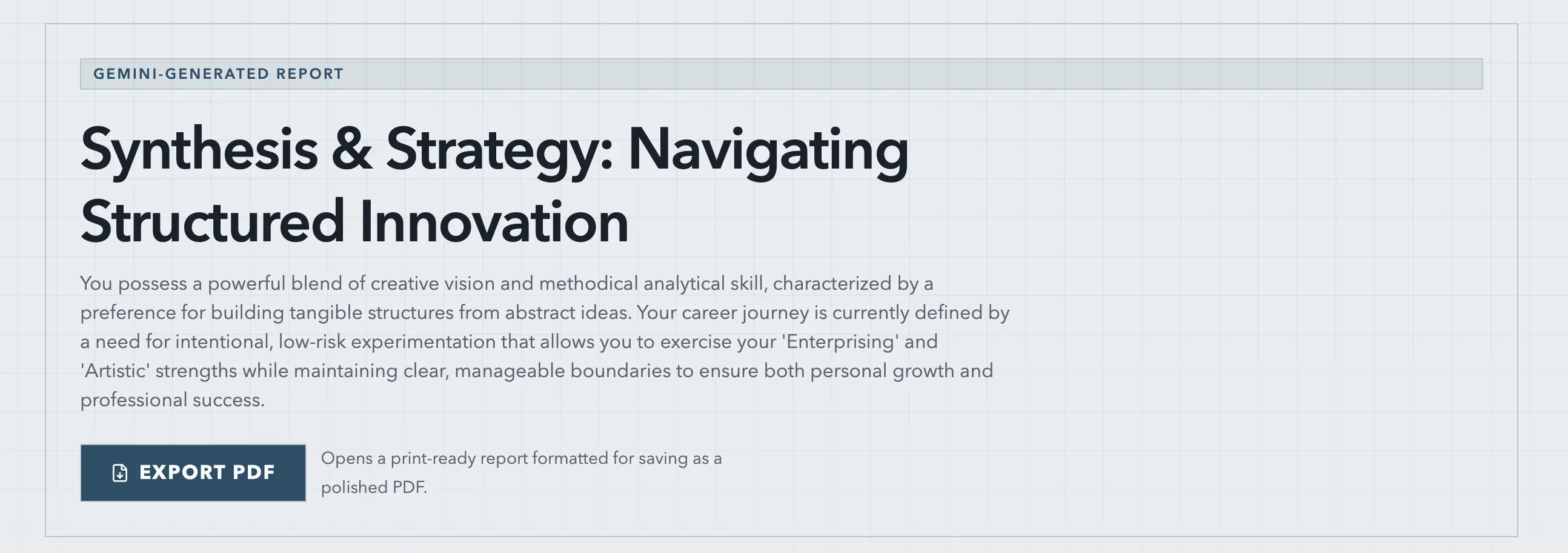
The report page shows the executive summary, a profile interpretation, recommended clusters with a first experiment for each one, strengths, risks, three radar charts of the survey scores, a support strategy, portfolio projects, and a 30/60/90 plan. A guidance note stays on the page. The report is reflective guidance for career development. It is not a clinical diagnosis, a psychological assessment, or an official placement. Export PDF opens a print layout meant to be saved as a PDF, and the suggested filename comes from the report title.
Technical Architecture
Frontend
- Next.js App Router with client pages, because every step reads and writes
localStorage - React 19 and Tailwind CSS, with a small set of shadcn/ui controls
- A dashboard shell with the three steps, Intake, Challenge, and Report, plus a light and dark theme
Scoring and state
- RIASEC, adaptability, and study-field scores are sums of the Likert answers for that code
- One storage key per piece of progress, so redoing an earlier step can clear the later ones without touching unrelated data
- The report page checks a generated flag and shows a checklist of missing steps while that flag is false
API routes
POST /api/analyze-videouploads the video through the Gemini Files API, waits until the file is active, then asks for a JSON analysisPOST /api/generate-reportsends the survey scores, the video analysis, the follow-up answers, and any teacher or peer text, and asks for a JSON reportPOST /api/extract-report-textreads PDF, DOCX, and TXT uploads on the server- The model name comes from
GEMINI_MODEL, and falls back to Gemini 3.1 Flash Lite - Both AI routes normalize the model text before it is saved. A fenced JSON block is unwrapped, missing fields are filled from the demo copy, and a response that cannot be parsed becomes the full fallback
Challenges and Solutions
Getting a video through Gemini was the first real blocker. A video file is not ready to reference the moment the upload returns. The Files API has to finish processing it. The route uploads the file, polls every few seconds, and gives up after five minutes. If the file fails, times out, or the key is missing, the student still gets the demo analysis instead of a stuck spinner. After the model responds, the uploaded file is deleted. When the browser does not send a MIME type, the route infers one from the file extension, so MOV and WebM still reach the model.
Model output is not safe to render raw. The prompt asks for JSON only. The model still wraps it in fences, or adds a sentence, or drops a field. I pull out the object, then check every field. A missing list is replaced with the default copy for that field. A completely unreadable response is replaced with the whole demo report. The badge on the page says whether the text came from Gemini or from that fallback, so a canned analysis cannot pass as a personal one.
The PDF is a printed page, and printed pages are fussy. I used the browser print dialog, with a separate article that only shows up on paper. The on-screen report and the PDF are allowed to disagree. Radar labels collided along the bottom of the chart, so the print chart anchors those labels differently. Dark mode colors were printing as if the page was still dark, so the print styles force their own ink. Right before window.print(), the document title is set to the report name, which is what the browser offers as the filename. It took a few passes before a saved PDF looked like a report and not a screenshot of the dashboard.
Teacher and peer files brought their own bundling problem. Reading a PDF pulled in a canvas package that Next did not want inside the server bundle. I marked pdf-parse and that canvas package as server external packages, and limited uploads to PDF, DOCX, and TXT. A file with no readable text returns an error and nothing is saved.
Conclusion
CAREGO+ is a working demo of a career workflow I like. Collect a few different kinds of evidence, make the student answer follow-up questions about their own model, and only then write the report. The scoring stays simple on purpose. One Likert item per code is enough to steer a demo, and the guidance note is there so nobody treats the PDF like a counseling result.
The next step is to give the case a home outside one browser. A teacher should be able to open the same evidence the student built. If the survey is ever going to carry more weight, it needs a real inventory, with more than one item per code. And the video analysis should have to describe the model in the frame, so a generic reflection cannot stand in for the build the student actually made.
If you want to try it, the live demo is up, and the code is on GitHub.