Cool Shift
Cool Shift is a hackathon MVP my team and I built for a challenge sponsored by CLP. It is a phone-sized web app that tells a Hong Kong household when to cool the flat, when to charge the car, and when to run the dryer, and puts a dollar figure next to each one. The tagline is "Small actions. Everyday value." It is an independent concept. It is not affiliated with or endorsed by CLP, and all the data in it is mock data.
Project Overview
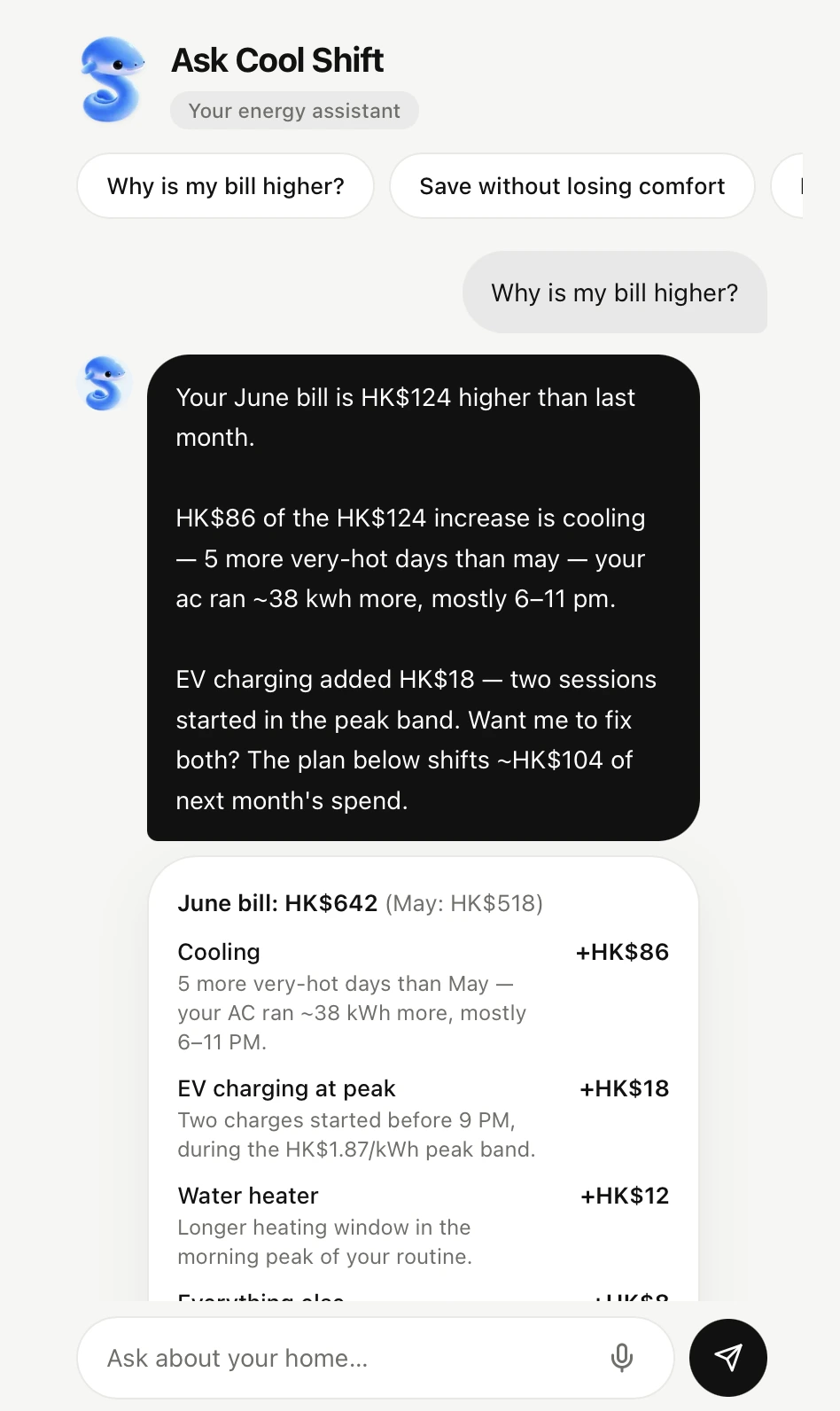
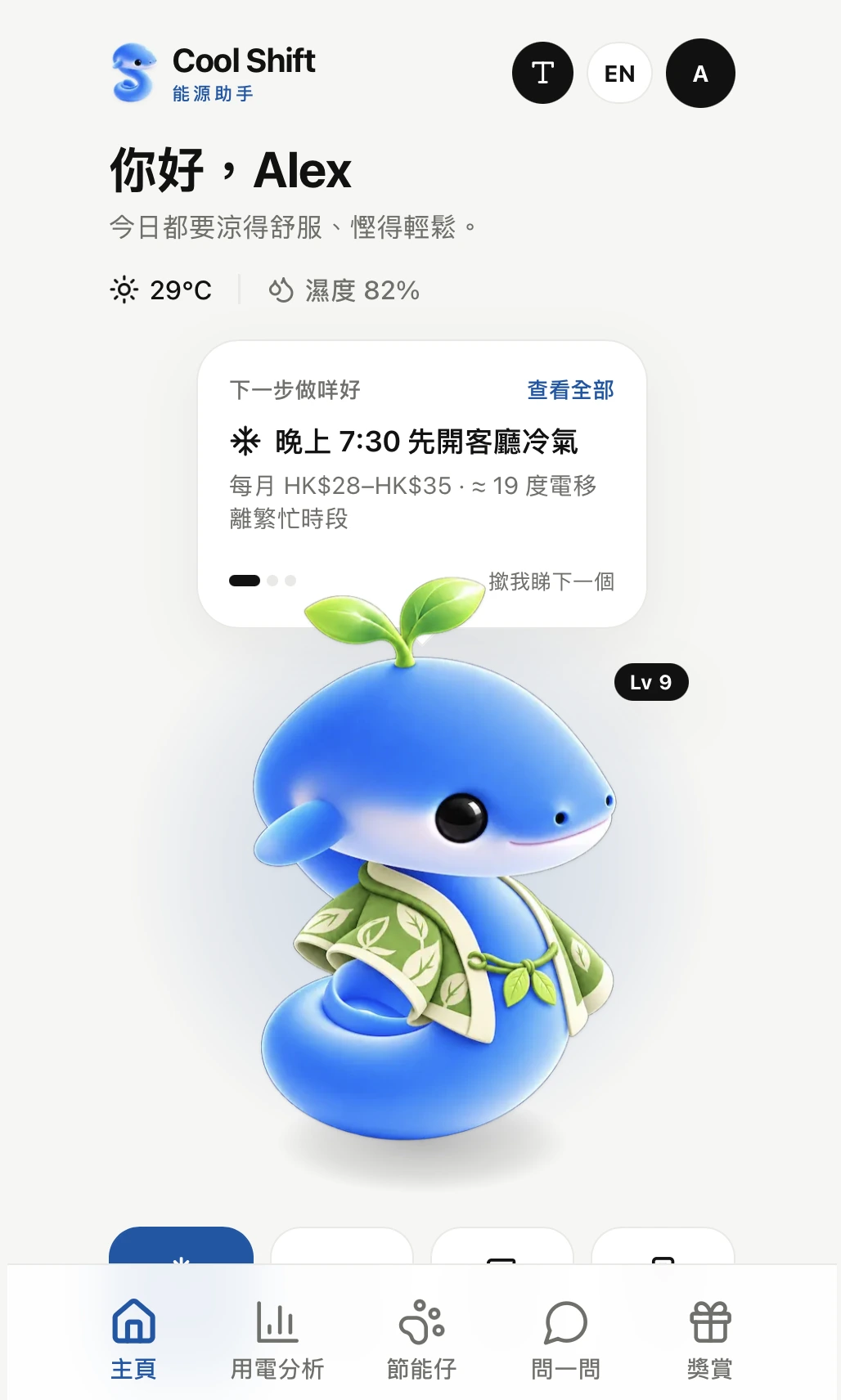
The app is nine routes inside a 430px phone shell. Home shows the weather, the humidity, and three tips for today. Insights breaks down yesterday's usage and the latest bill. Ask is a chat screen. Cooling, Charging, and Budget each handle one decision. Impact and Rewards cover the community and the points side. The last route, /pitch, is the 12-slide deck we presented from, so the demo and the slides lived in the same tab.
There is no backend. A mock data layer stands in for the smart meter, the tariff, the weather, the bill, and the partner offers. A rules engine computes every figure from that data. Points, missions, the budget, and the language setting live in localStorage.
Motivation
The brief was about households that only meet their electricity once a month, as a bill. Smart meters are already installed and a time-of-use tariff makes the evening expensive, but a chart of kWh does not tell anyone what to do at 7 PM on a humid day.
We framed the product around five questions a customer would actually ask. Why is my bill increasing? When should I run my appliances? How do I charge an EV off-peak? How do I save without losing comfort? Which action fits my home? Every screen had to answer one of them.
The other decision was about the AI part. We did not want a chatbot that makes up a saving. So the rule for the build was that the numbers are calculated and the language only explains them. In a real deployment the chat would be a language model. It would read the question, pick the right calculation, and write the answer in plain language. In this MVP that part is keyword matching, and the engine underneath is deterministic. The spot where the model plugs in is marked in the code. For a demo, I would rather show an honest rules engine than a chat that sounds confident about a number it invented.
Features
• Three daily tips
Home shows three actions for today and stops there. They appear one at a time, and tapping the mascot brings up the next. Cool the living room at 7:30 PM at 25.5°C. Charge the EV after 11 PM. Run the dryer after 9 PM. Each tip carries a saving range in HK$ and the kWh it moves out of the peak band.
• Insights and bill explainer
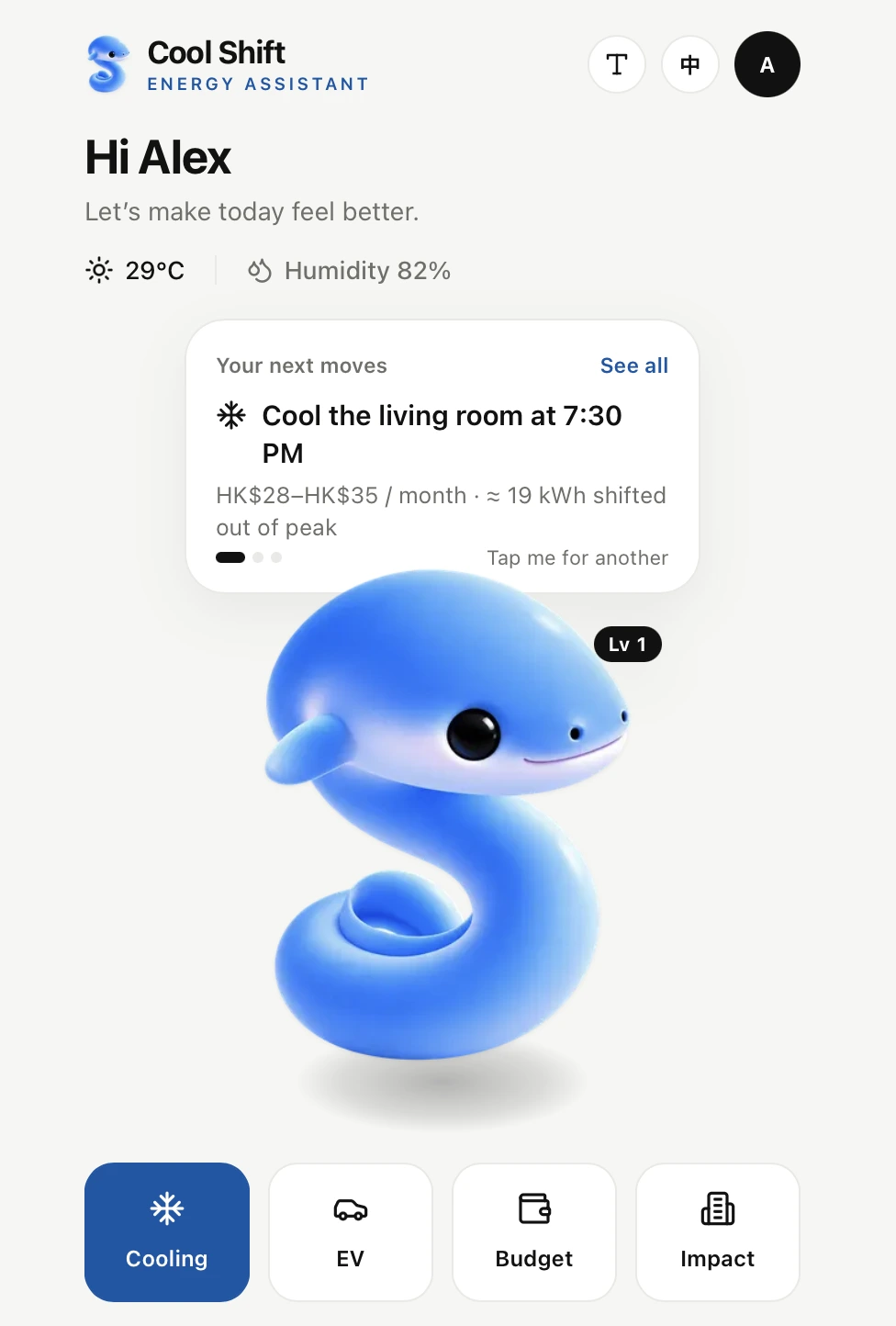
Yesterday's usage is drawn hour by hour against the peak tariff window. Below it, the June bill of HK$642 is compared with last month's HK$518, and the HK$124 difference is split line by line: cooling, EV charging at peak, the water heater, and everything else.
• Ask
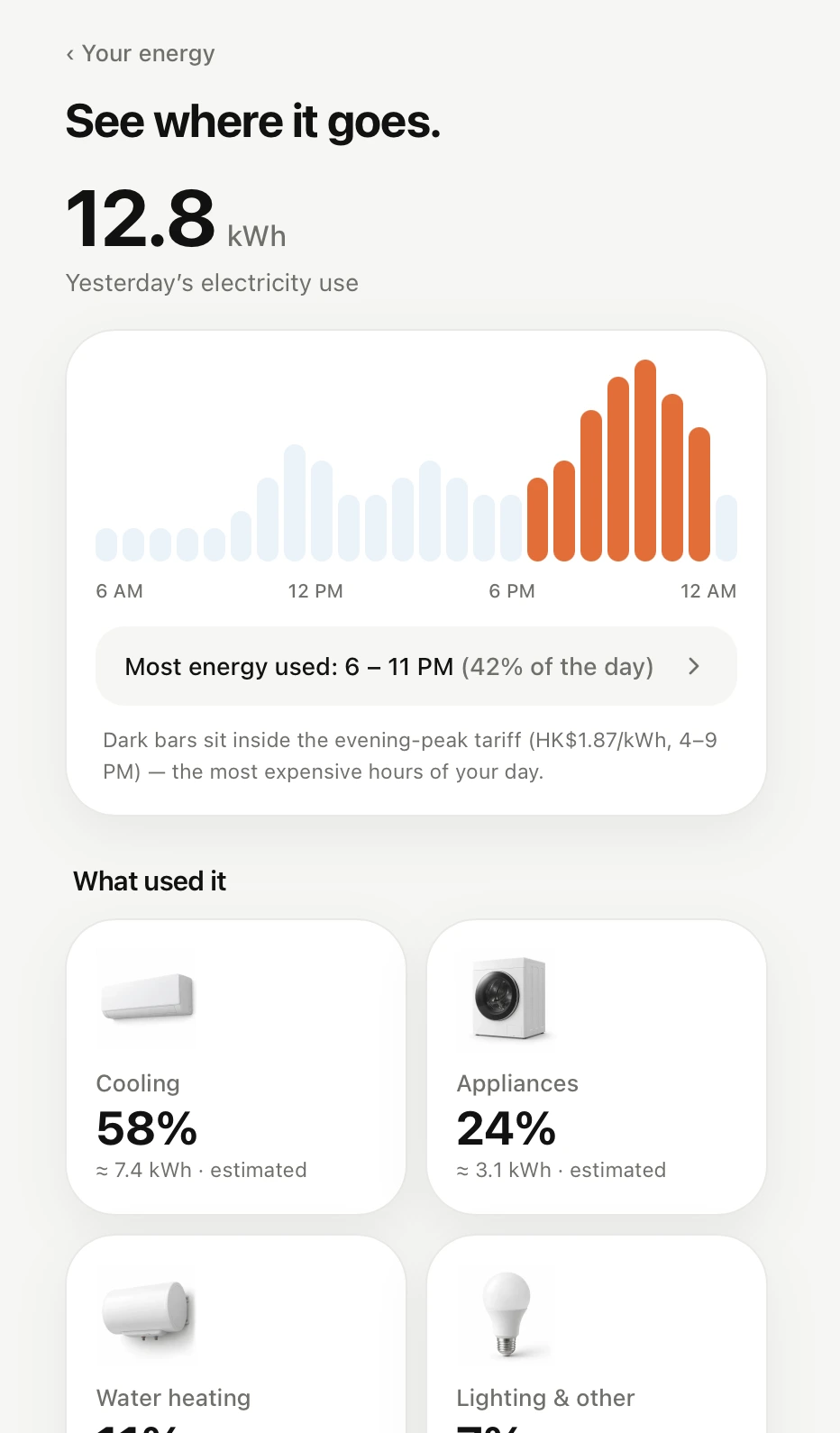
A chat screen with quick chips for the common questions. Answers can attach a card, like the bill breakdown or tonight's plan with a "how this was calculated" section. The mission check-in reads the real app state, so if you complete a mission on the Rewards page and come back, the answer changes. In the demo the replies are matched by keyword. In a real deployment a language model would sit here and handle questions the chips do not cover.
• Comfort-first cooling
The cooling plan holds 25.5°C with a fan and explains why. It has guardrails. It never suggests cutting cooling during a Very Hot Weather Warning or for vulnerable users.
• Smart charging
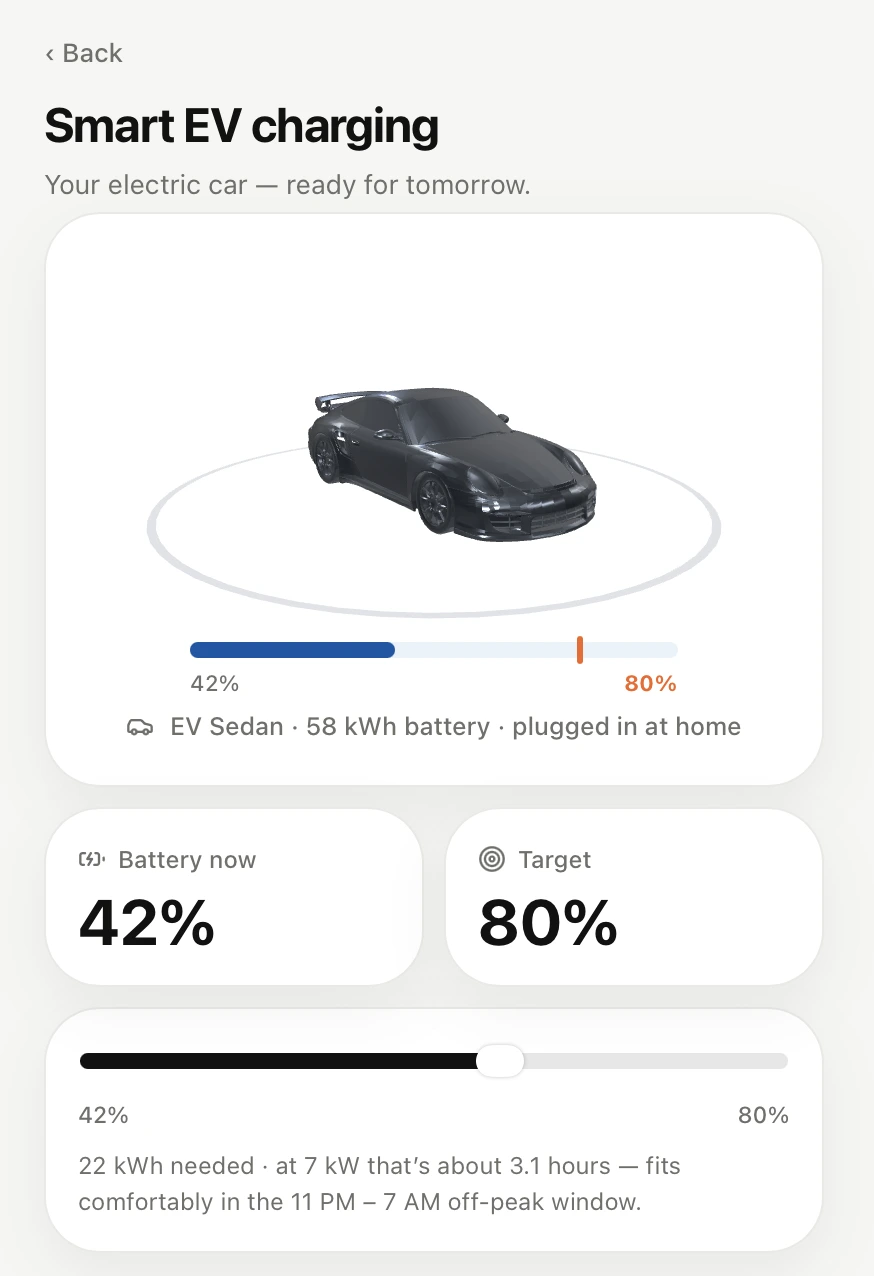
A 3D car turns slowly above a target slider. The schedule sits inside the 11 PM to 7 AM off-peak window, at HK$1.06 per kWh against HK$1.87 at peak. For a 22 kWh top-up that comes to HK$16 to 18 saved per charge.
• Budget
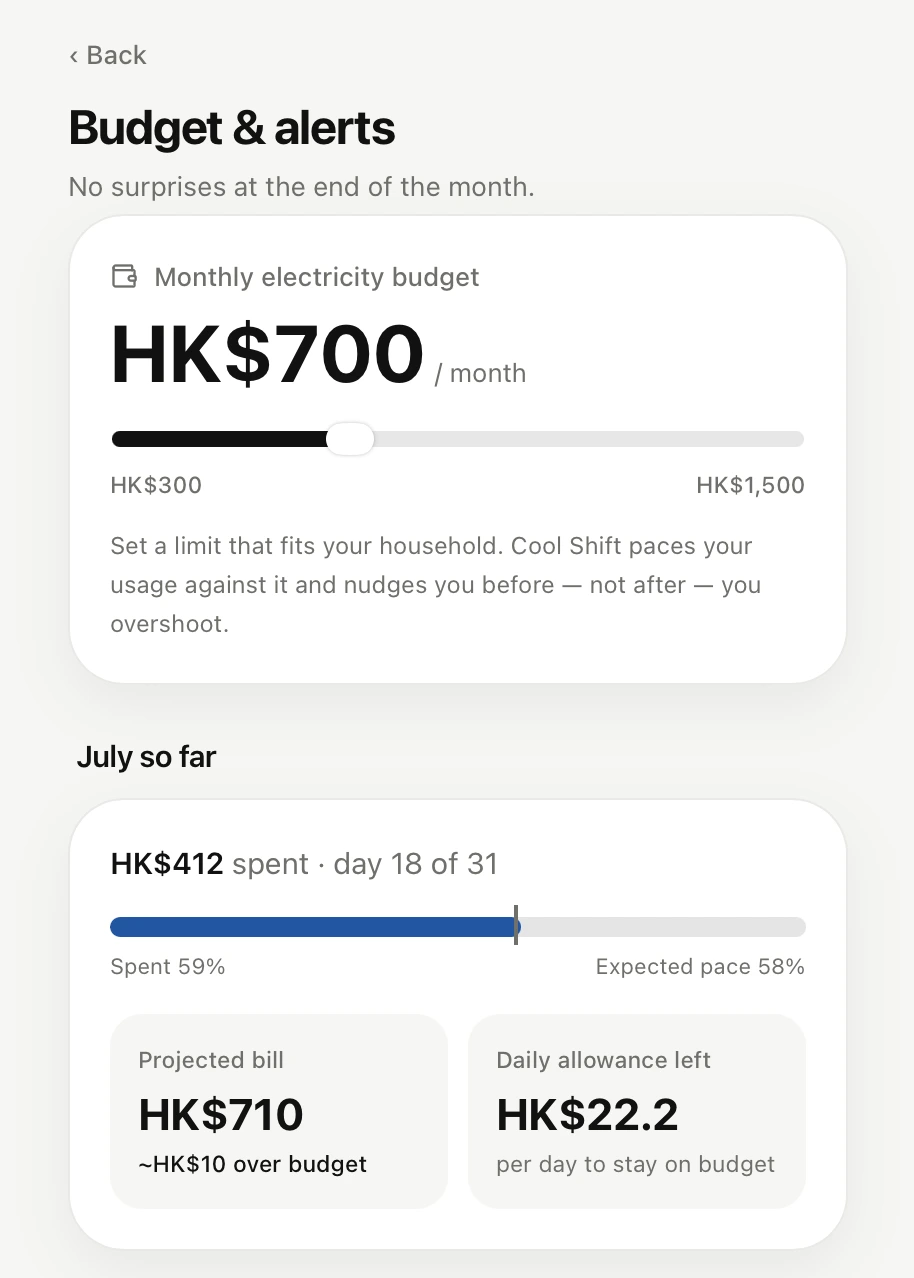
A monthly budget slider with a pace bar, a projected month-end bill, a daily allowance, and alerts at 50, 80, and 100 percent. This one is aimed at bill shock.
• Rewards and partners
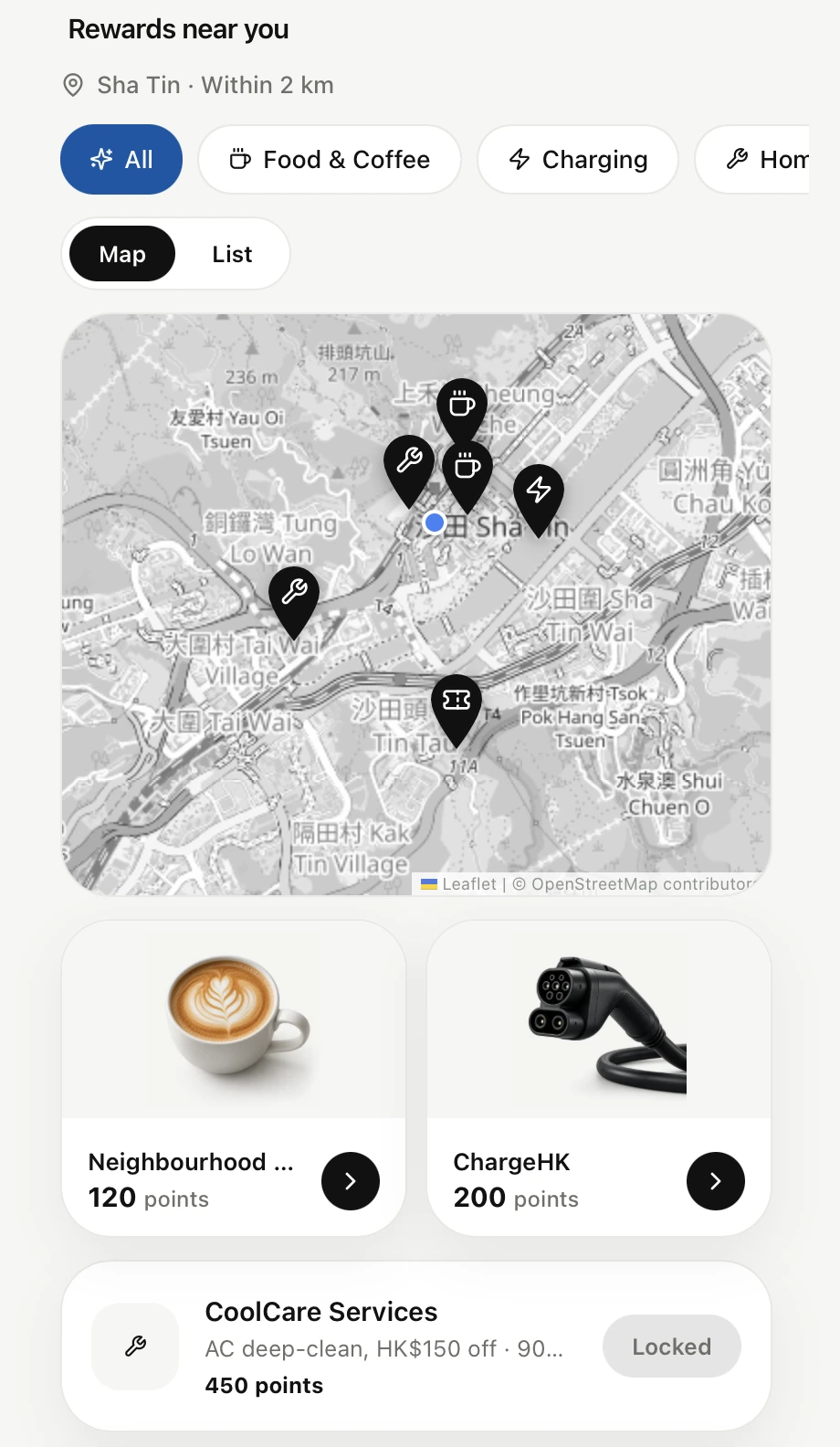
Missions earn points. Points are redeemed for partner offers shown on a real map of Sha Tin and in a list. Points can also be put into illustrative clean-energy funds.
• Community impact
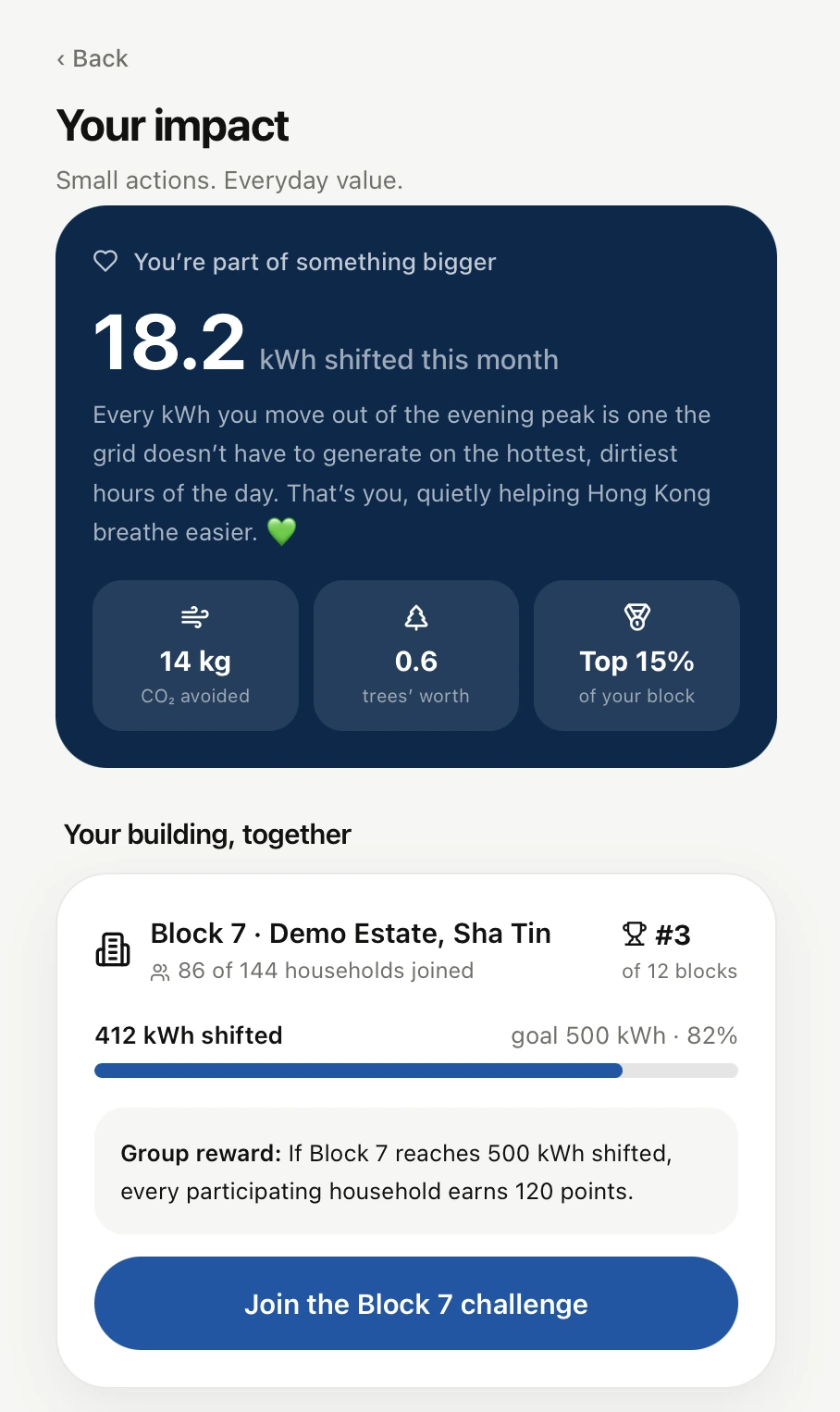
A personal impact summary, a shared goal for the building, an anonymised leaderboard, and a group challenge.
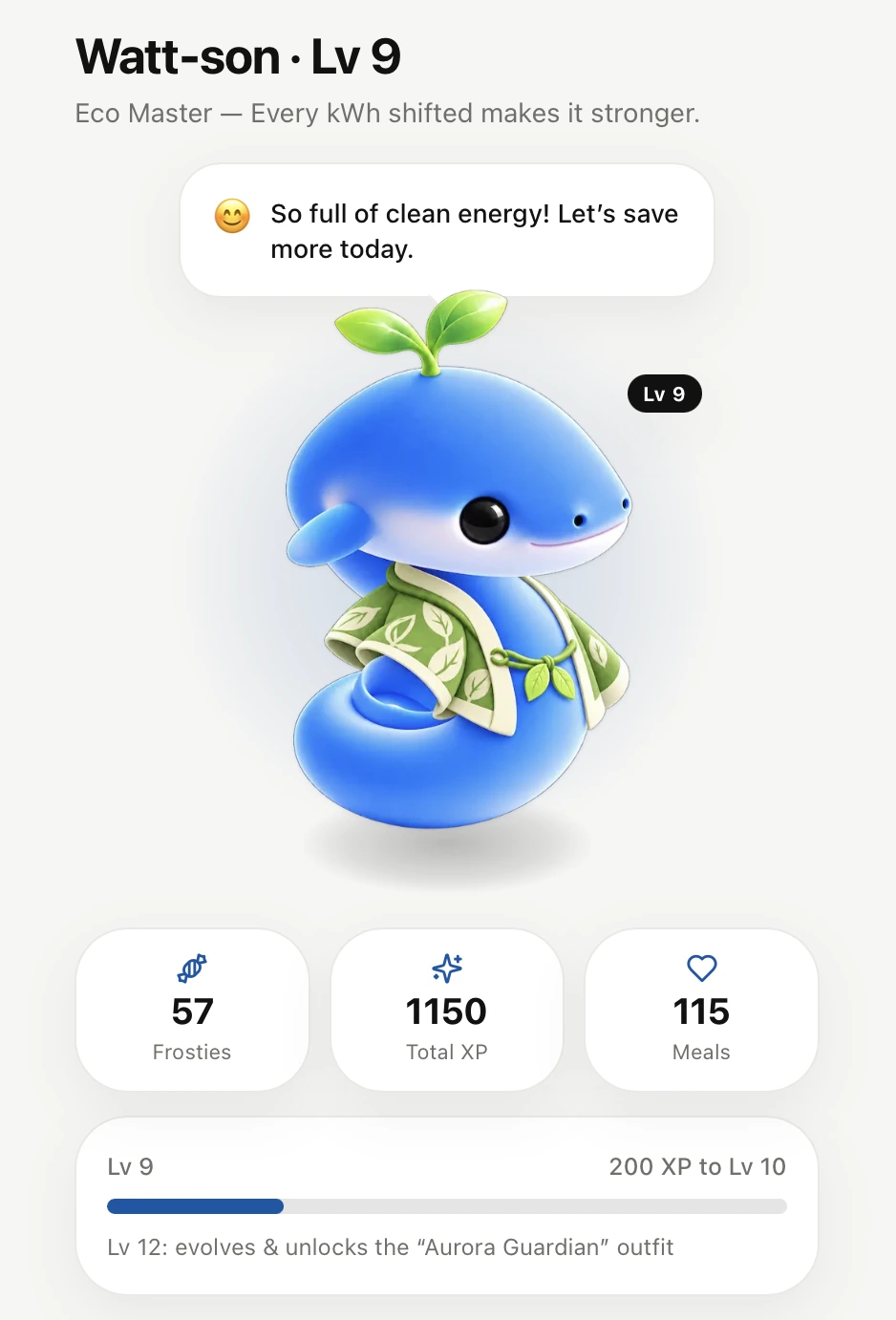
• Watt-son
A mascot you raise. Every point earned also mints one Frosty snack. Feeding gives XP, levels unlock stages and outfits. It is the least serious part of the app.
• Traditional Chinese and simple mode
A toggle switches the whole app between English and Traditional Chinese, including the chat replies. Simple mode enlarges the entire interface for users who need bigger text. The app also installs as a PWA and opens offline.
Technical Architecture
Frontend
- Next.js 14 App Router with React 18 and TypeScript, built fully static
- Tailwind CSS with a small monochrome component set: cards, navigation, and hand-written SVG charts
- A mobile-first shell capped at 430px, so it renders as a phone on any screen
Data and rules engine
lib/data.tsholds the mock smart meter readings, the tariff bands, the weather, the bill, the missions, the partners, and the building community, kept consistent with each otherlib/engine.tscomputes the tips, the bill explanation, the budget projection, tonight's plan, and the chat replies from that data- Savings are shown as ranges, and a tip reads the tariff for its own hour, so changing a rate in the data changes every figure that depends on it
State
- One React context holds points, budget, mission progress, vouchers, the points portfolio, the pet, the language, and simple mode
- Everything persists under a single
localStoragekey, and clearing that key resets the demo
Extras
- three.js for the car, loaded lazily so only the Charging page pays for it
- Leaflet with OpenStreetMap tiles for the partner map, with no API key
- A service worker that serves pages network-first and hashed assets cache-first
Challenges and Solutions
Keeping the numbers honest was the main design problem. It is easy to type "save HK$30 a month" into a card. It is harder when the chat, the tip card, the charging page, and the pitch deck all have to agree. The fix was to stop writing figures in the UI. The charging saving is one function: energy needed times the gap between the peak and off-peak rate. The tip, the chat reply, and the charging page all call it. The chat itself is keyword matching on the question, in both languages, that picks which calculation to explain. A language model would replace that matching in production, and it would still be handed the same computed figures.
Simple mode did nothing at first. The toggle set a larger font size on the body, and the page looked exactly the same, because the app sizes its text in fixed pixels. I switched to zoom on the phone column. That scaled everything, and then the column overflowed sideways. So the max width is divided by the zoom factor to keep the same width on screen. The Ask page broke again, because it is locked to the viewport height, and its input bar slid under the bottom nav. Its height is divided by the same factor.
Two languages in a weekend. A translation file with keys would have meant naming a few hundred strings. Page copy uses an inline helper instead, t(en, zh), so the English and the Chinese sit next to each other where they are used. The data fixtures carry a zh block that is merged over the English fields. It is not how I would do it for ten languages. For two, it meant nobody had to leave the file they were working in.
The map and the car were both drawings before they were real. The first partner map was an illustration, so moving a shop meant redrawing it. It became a Leaflet map with partners stored as real coordinates, and the tiles are greyed out so the pins carry the meaning. The car went the same way, from a flat infographic to a three.js model. That model is heavy, so the component is imported dynamically and the battery bar stays in plain HTML, which keeps it in sync with the slider without touching the WebGL scene.
A service worker during a hackathon is a trap. Development builds are not hashed, so a caching worker happily serves yesterday's code. The worker only registers in production, and the cache name carries a version that gets bumped when the strategy changes.
Conclusion
Cool Shift is a demo, and I think it is an honest one. Every figure on screen can be traced back to a meter reading and a tariff rate, even though the meter is fake. The scope is wide for a weekend. Nine routes is a lot, and a few of them are thinner than the others.
The next step would be the part we left for a real deployment. Swap the keyword matching for a language model, so the assistant can take any question, and keep the model away from the arithmetic. Replace the mock layer with real interval data from a meter. Then run the pilot from the proposal: households with smart meters, a matched control group, and success measured in kWh shifted and dollars saved, not in how many messages people send.
The code is on GitHub, along with the proposal and the pitch notes.